VisaSlotWatch v1.5.6 Is Live: Easier Device Switching and Accurate Plan Status
VisaSlotWatch v1.5.6 makes switching to a new computer or browser effortless, fixes a rare plan-status mismatch, and keeps monitoring steady during brief network blips. See what changed and how to update.
We have now published VisaSlotWatch Chrome Extension v1.5.6.
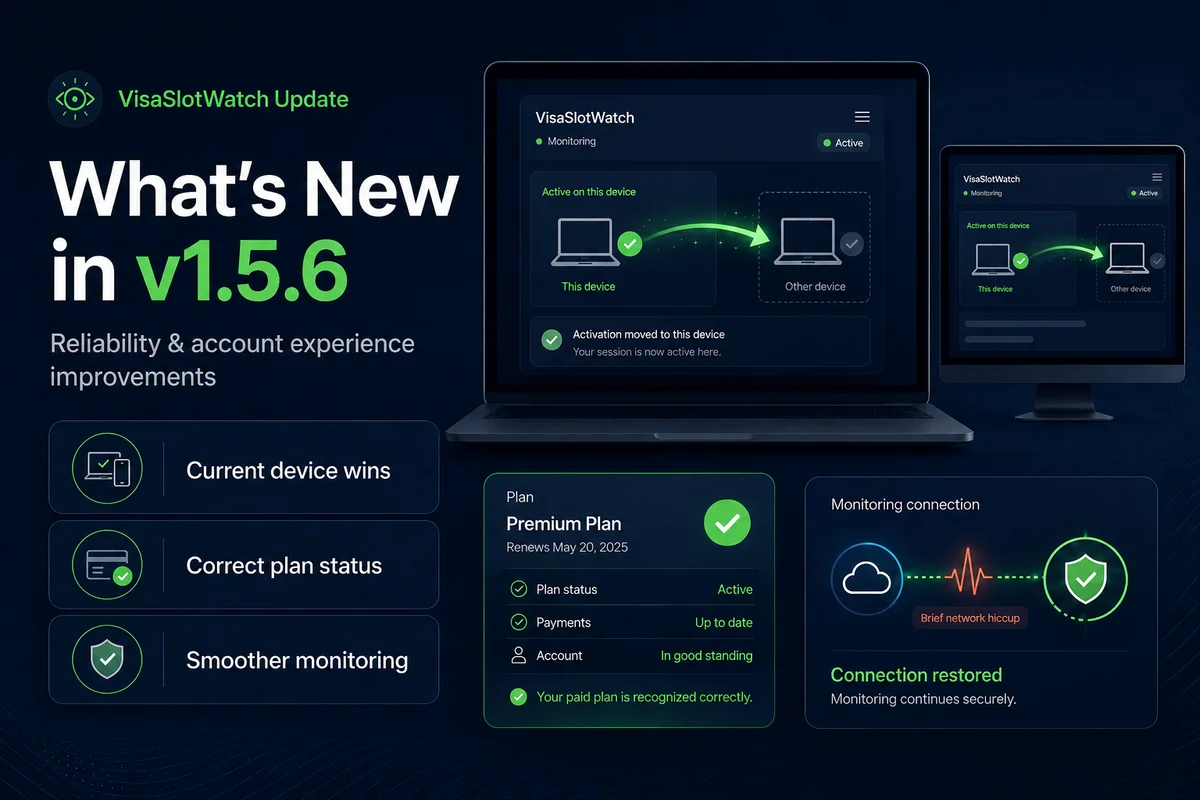
This release is all about getting out of your way: switching computers is effortless, your plan status always matches what you are paying for, and monitoring stays steady through brief network hiccups.
What changed in v1.5.6
1) Switching to a new computer or browser just works
Previously, if you had already activated VisaSlotWatch on one browser or computer, trying to use it on another could run into a "device limit" message — even though you only ever wanted to monitor from one place.
With v1.5.6, activating your license on a new browser simply moves your monitoring to that browser automatically. The device you are using right now becomes the active one, and the previous one steps aside. No error screens, no manual cleanup — reinstall Chrome, switch laptops, or use a new profile, and you are back up and running.
2) Your plan status now always matches your subscription
We fixed a rare issue where the extension and your account could briefly disagree about your plan. v1.5.6 makes sure your tier and features line up correctly with your actual subscription, so paying customers always see the plan they are on.
3) Fewer false "you've been logged out" moments
We also made the extension more patient when it briefly cannot reach our servers. Instead of resetting your plan status on a temporary network blip, it now holds onto your last-known status and keeps monitoring running smoothly until the connection is back.
Do you need to update manually?
In most cases, no. Chrome should auto-update the extension to v1.5.6 automatically.
If you want to update immediately, reinstall from the Chrome Web Store.
After updating, we recommend opening the extension popup once to confirm your monitoring settings are still enabled.
For users who previously hit a device limit or saw the wrong plan
If you previously saw a "device limit reached" message when switching computers, or noticed your plan showing incorrectly, please update to v1.5.6 and try again.
If anything still looks off for your setup, contact us directly and we will help investigate.
The VisaSlotWatch Team
Useful links
Install / Update Extension | Contact Support | Visit VisaSlotWatch